Address 304 North Cardinal St. Dorchester Center, MA 02124
Work Hours Monday to Friday: 7AM - 7PM Weekend: 10AM - 5PM
Backend (Admin View): Plugin Activation and Inbox Management
The administrative view confirms that the plugin is running and ready to handle incoming chats.
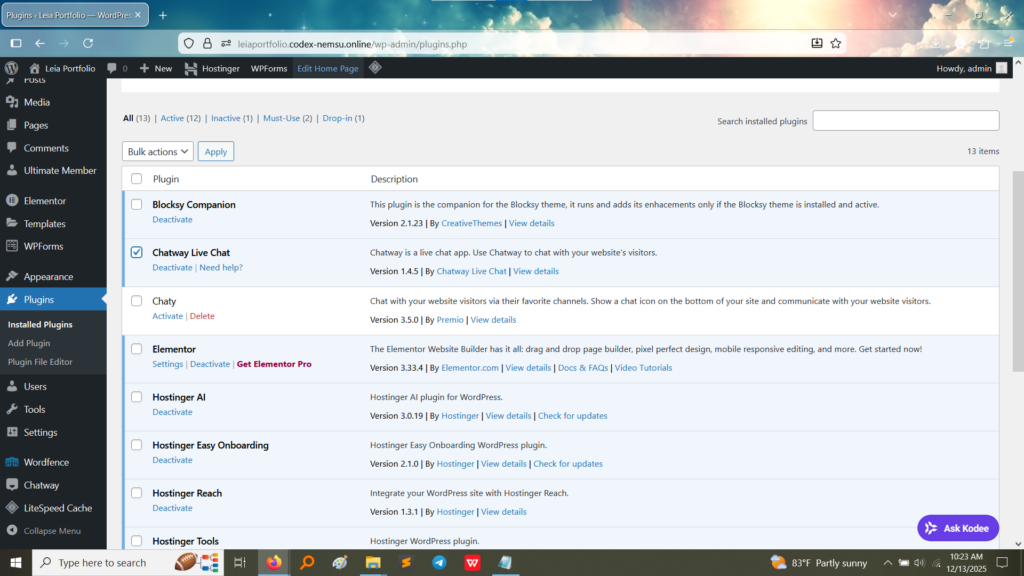
1. Plugin Activation: The image below confirms that the Chatway Live Chat plugin (Version 1.4.5) was successfully installed and activated on the WordPress site, making the live chat functionality available to visitors. A similar “Chaty” plugin is also visible, indicating multiple chat options were available or tested.
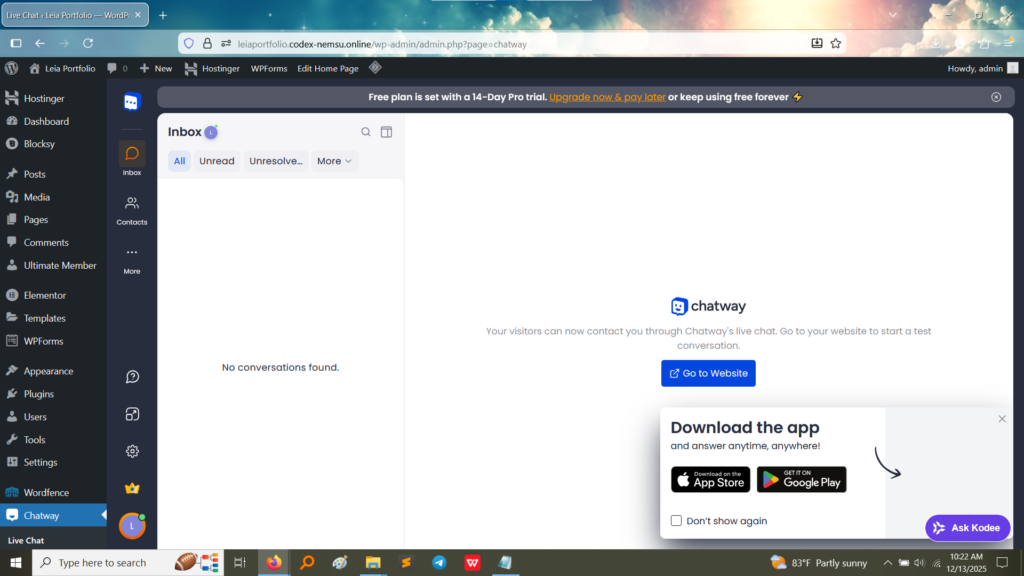
2. Chatway Inbox Interface: This screenshot shows the dedicated administrative area (the Inbox) where site owners would receive and manage visitor chats. The screen indicates that currently, there are “No conversations found,” but the interface is ready, complete with options to go to the website to start a test conversation and download the mobile app for managing chats remotely. This confirms the plugin is fully configured on the backend.
Frontend (User View): Chat Widget (Implied)
Although a direct screenshot of the floating chat widget on the frontend is not provided, the successful backend configuration of the “Chatway Live Chat” plugin implies that a visible chat icon or widget is present on the public-facing pages of the website, allowing visitors to initiate a conversation.
What I Learned
Configuring a live chat plugin provided practical knowledge in real-time communication tools for web platforms:
Real-time Customer Service: I learned how to integrate a direct communication channel, which is crucial for modern e-commerce and support-based websites, allowing for immediate visitor interaction.
Backend Management: I gained familiarity with the administrative interface of a chat plugin, understanding how conversations are tracked, managed, and potentially integrated with mobile apps for 24/7 support.
Plugin Integration and UX: The configuration demonstrated how live chat plugins are seamlessly integrated into the site’s layout, often appearing as a persistent floating icon, which is an important consideration for user experience (UX).