Address 304 North Cardinal St. Dorchester Center, MA 02124
Work Hours Monday to Friday: 7AM - 7PM Weekend: 10AM - 5PM
Frontend (User View): Shop and Product Pages
The user-facing side confirms that products are correctly loaded, displayed, and ready for purchase.
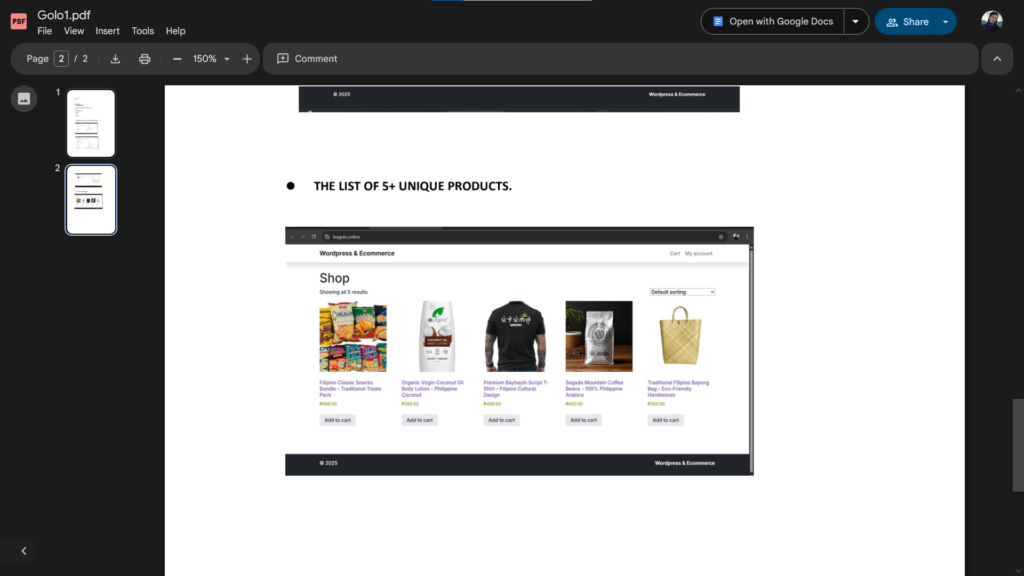
1. Configured Shop Page: The image below displays the main Shop page, which lists multiple products with their images, names, prices (in PHP currency, ₱), and an “Add to cart” button. This page successfully demonstrates the visual presentation and organization of the store’s inventory. The page is titled “Shop” and is showing five unique products, as required.
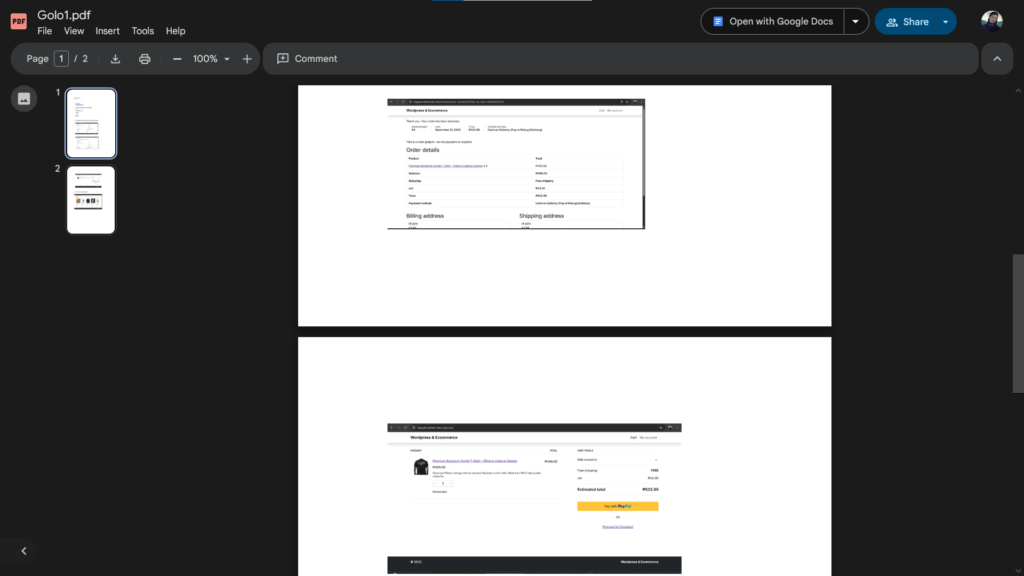
2. Product Page & Cart/Checkout: The following images confirm the functionality of individual product pages and the checkout process, which is necessary to finalize a transaction.
Cart/Checkout (Product Details): This screenshot shows the cart or checkout page where a specific product (“Premium Gancala Script T-Shirt”) has been added, and the total estimated cost is displayed before payment. This indicates that the individual product page linked correctly to the cart system.
Backend (Admin View): E-Commerce Order Settings
The backend configuration confirms that the necessary order, payment, and tax settings are properly configured to manage sales. While a general “Settings” page is often requested, the strongest confirmation of a working e-commerce setup is a processed order.
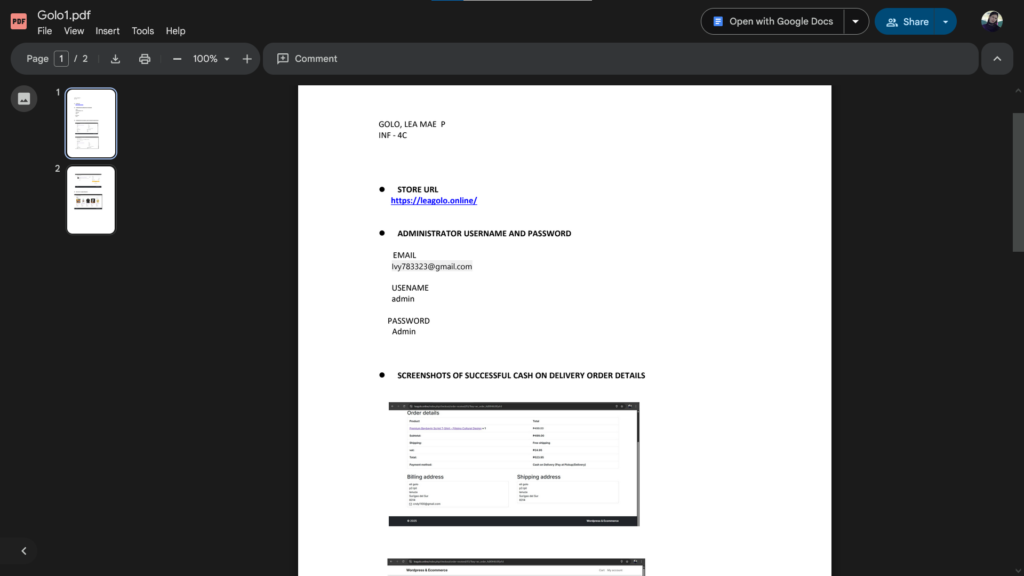
3. Backend E-commerce Settings (Order Details): The image below shows the administrative view of a successfully placed Cash on Delivery (COD) Order. This confirms:
Successful Order Processing: The system correctly registered a transaction.
Billing/Shipping Address Capture: Customer details were captured, proving the checkout form and database integration work.
Payment Method Configuration: The Cash on Delivery (COD) payment method was properly set up and used by the customer.
What I Learned
Configuring the E-Commerce plugin provided valuable experience in specialized WordPress functionality:
Product Management: I learned the process of creating digital product entries, setting prices, managing inventory, and categorizing items within the e-commerce plugin’s interface.
Payment Gateway Integration: The exercise confirmed the setup and testing of a payment method (Cash on Delivery), which is a key component of any online store.
Frontend Templates: I understood how the plugin automatically generates critical pages (Shop, Product, Cart, Checkout) and how those templates must be integrated into the site’s overall design.
Order Fulfillment Flow: I gained insight into the administrative side of managing orders, from receiving a successful purchase notification to viewing the full order details required for fulfillment.